Out of the box, Vivaldi shows a tab bar along the top and a navigation bar at the bottom. Handy — but they eat screen space. Turn both off and Vivaldi looks and feels just like any other mobile browser. Two minutes, fully reversible.
Step 1 — open Settings
1
Tap the small Vivaldi "V" logo in the top-right corner of the browser, then tap Settings.
2
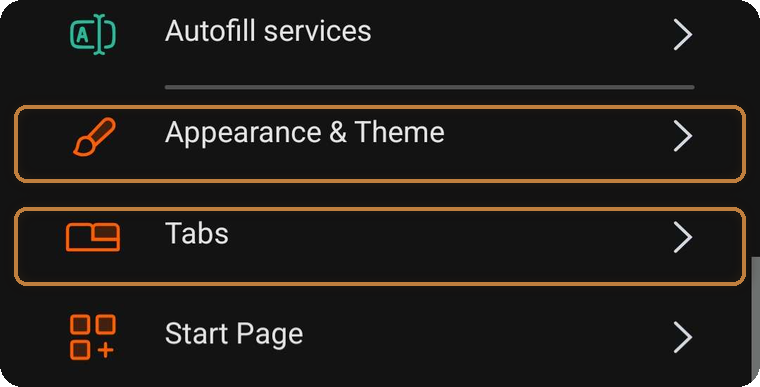
You'll see a long list — the two entries you need are Appearance & Theme and Tabs.
The two settings sections you'll be visiting.
Step 2 — hide the navigation bar
1
Open Appearance & Theme.
2
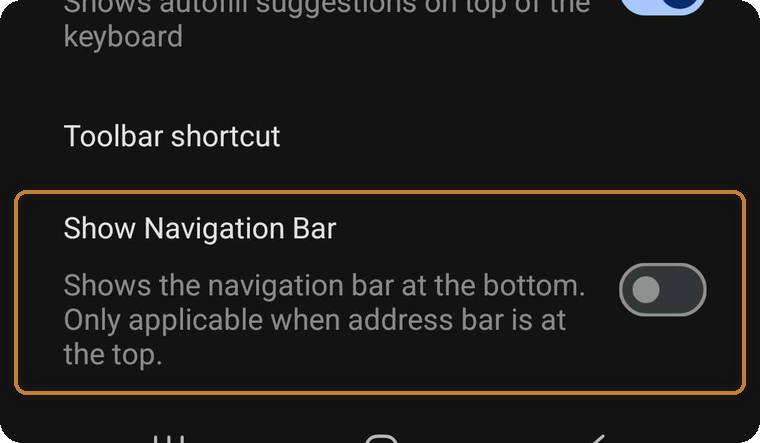
Scroll down and toggle offShow Navigation Bar. The bottom bar disappears immediately.
Appearance & Theme → Show Navigation Bar → off.
Step 3 — hide the tab bar
1
Go back to the Settings list and open Tabs.
2
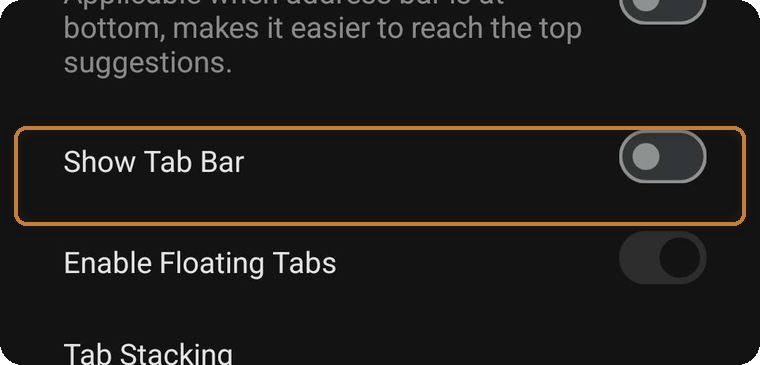
Toggle offShow Tab Bar. Done — your tabs still exist; you just switch them from Vivaldi's tab switcher instead of a bar taking up the screen.
Tabs → Show Tab Bar → off.
Changed your mind? Just toggle the same two switches back on — nothing else is affected. And this is all optional: Kai's Export Tools works either way, this simply gives your chats (and the export panels) more room to breathe.