Kai's Export Tools icon

Kai's Export Tools
for Shapes.inc

Keep what matters from your shapes — safely on your own device.

⬇  Install now — it's free

Works on Chrome, Microsoft Edge, and Vivaldi Browser on Android.

On Edge: say yes when it offers “extensions from other stores”. On Vivaldi (Android): open this page on your phone and tap the button above. Mobile details ↓

Want the details first? Read the full Help & FAQ before installing — no download needed.
✨ What's new in v1.3 — now on Android (via Vivaldi Browser) ▼
  • Works on your phone: built and tested for Vivaldi Browser on Android — the menu opens as a touch-friendly page, export panels size themselves for phone screens, and the reader & viewer pages all adapt. (Lemur Browser can run it too, but Lemur has a keyboard bug that covers the chat box — fine for exports, awkward for chatting.)
  • Help & FAQ now lives online: the Help button opens the always-up-to-date help page, so fixes and new answers reach everyone without waiting for a store update.
  • Your look, your choice: independent ☀️/🌙 Cozy Cafe light/dark toggles — one for the menu & panels, a separate one on the reading pages.
  • Fixed: knowledge, memory & training exports now preserve line breaks from the page.
  • Search got better: matches are highlighted word-by-word, the find bar stays pinned while you jump between results, and one tap clears it.
  • Small quality-of-life bits: dismissible warnings in the mobile menu, version number in the menu, and a readability pass across panels and both reader pages.
⚠ A friendly heads-up: exports can only contain what the platform has loaded in your browser. Always open your downloaded file and check everything was captured before deleting chats, memories, knowledge, or a shape on Shapes.inc. Verify first, delete second.

What it does

Pick a tool in the popup — each export becomes a file on your computer.

💬

Export your data

  • Full chat history as a transcript
  • Knowledge base tabs
  • Long-term memories
  • Training pairs
  • Profile & configuration
📖

Read it back beautifully

Story Reader turns transcripts into properly typeset stories. Data Viewer opens any export with full Markdown — themes, brightness control, font scaling, focus mode and search included. Every setting is remembered.

🔒

Private by design

No accounts, no servers, no analytics, no tracking. Everything runs on your machine and files save straight to your device. The extension only touches shapes.inc, and only when you click a button.

See it in action

Cozy café vibes included. ☕

The extension popup in light and dark Cozy Cafe
The popup — every tool one click away, in light & dark
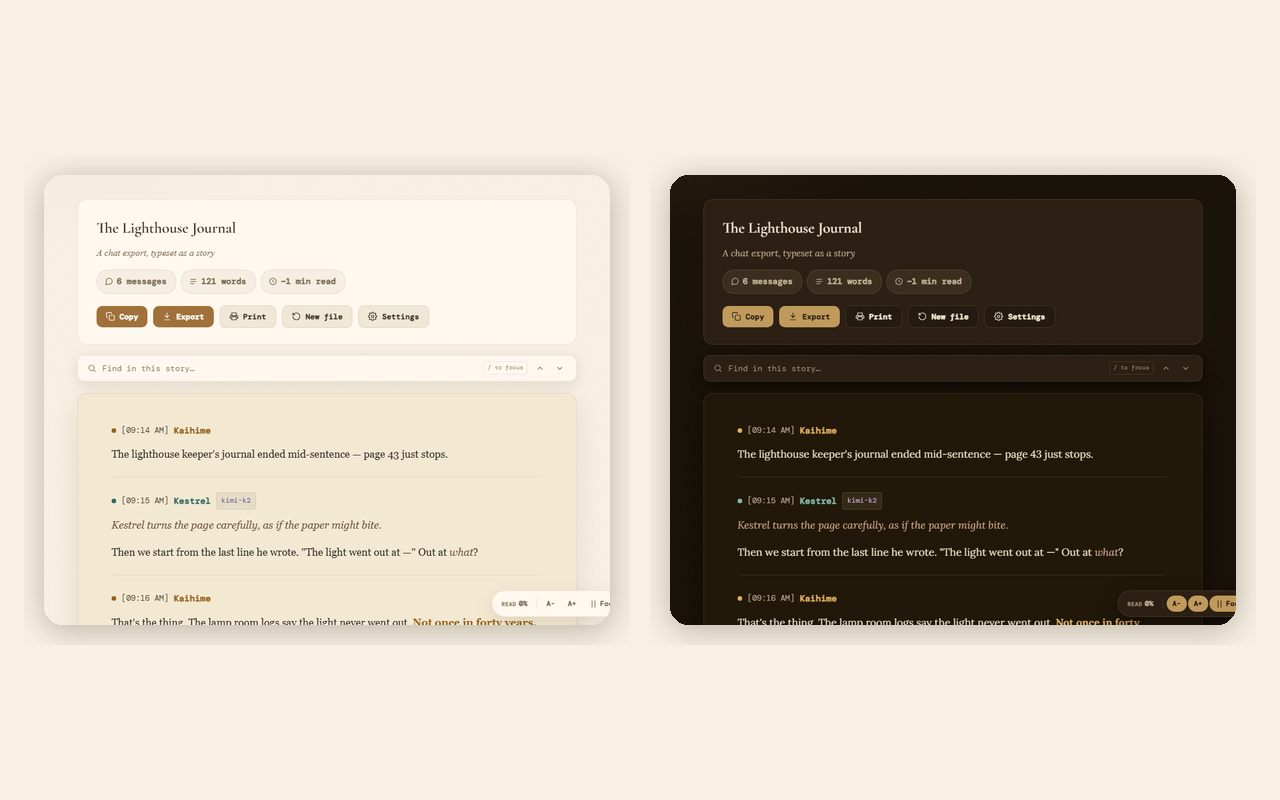
Story Reader showing a formatted chat transcript, light and dark themes
Story Reader — chats become readable stories (light & dark)
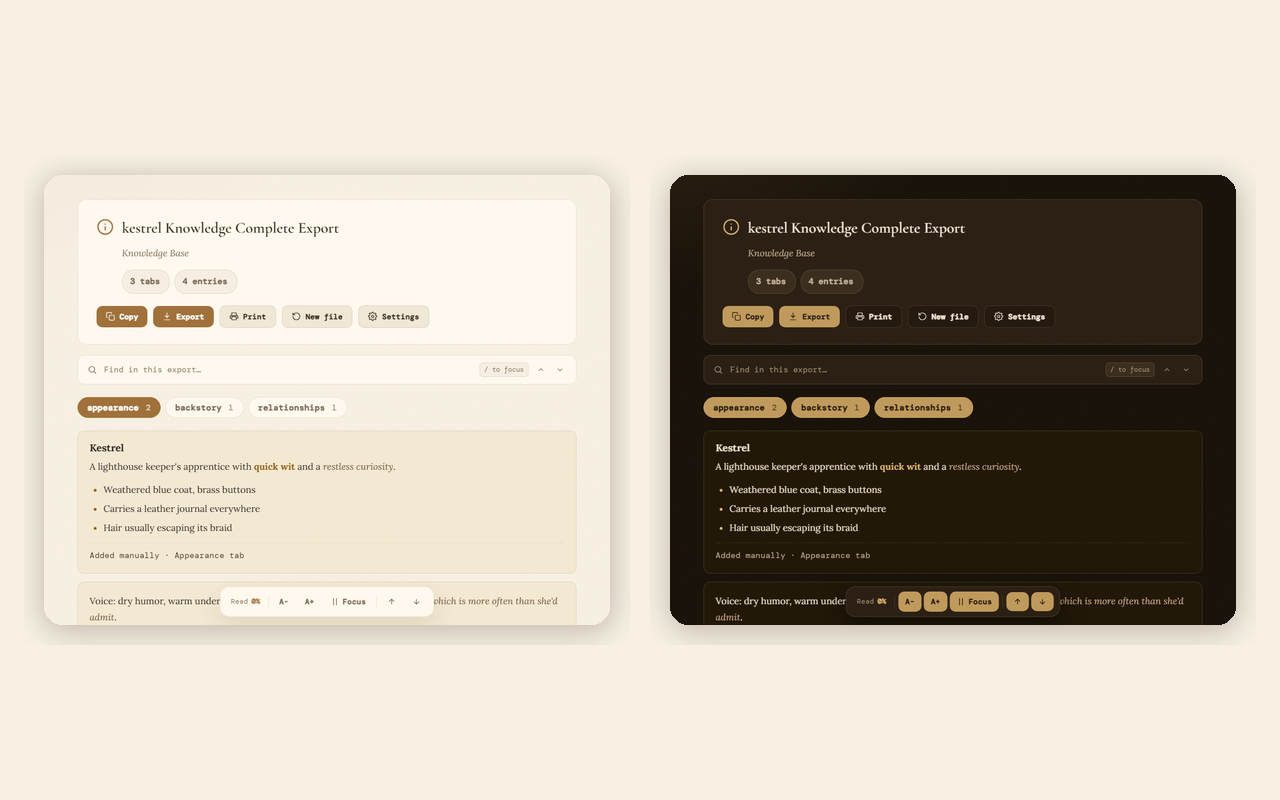
Data Viewer showing a knowledge base export, light and dark themes
Data Viewer — knowledge, memories & more (light & dark)
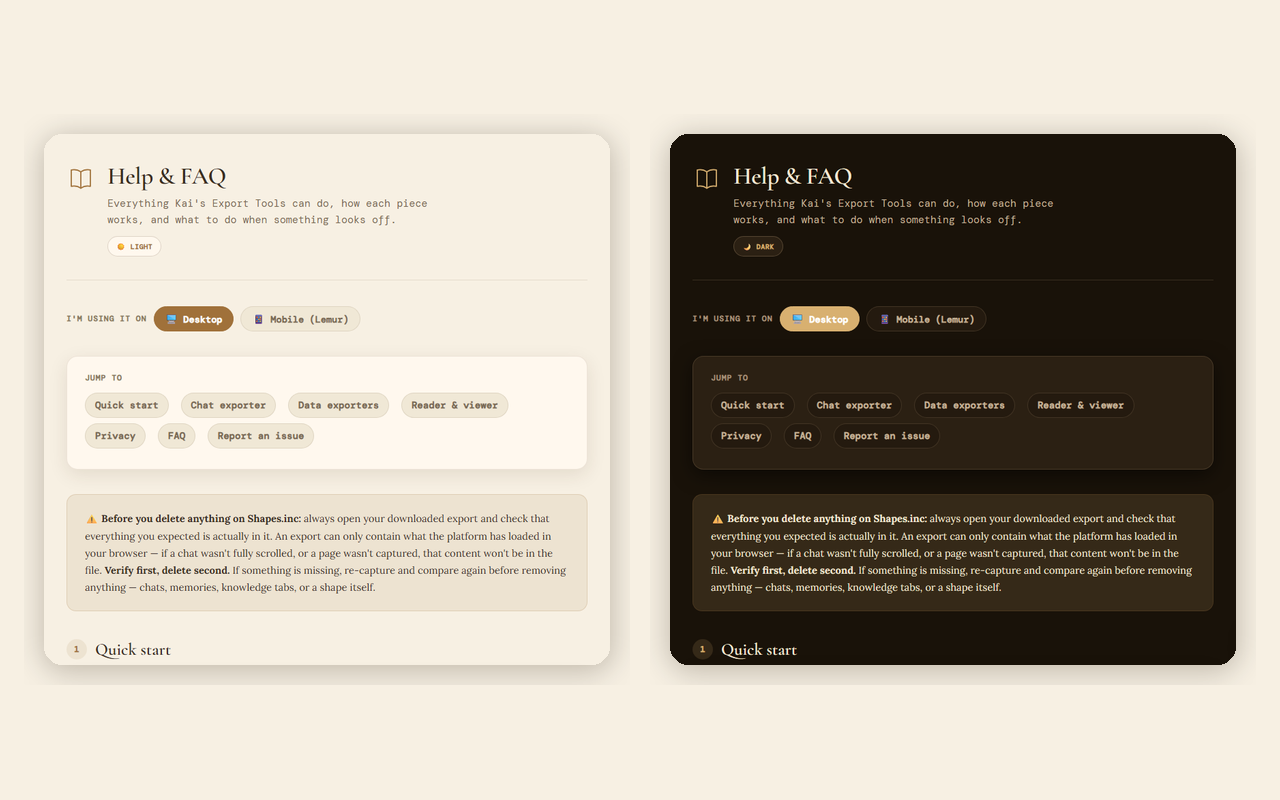
Built-in Help and FAQ page, light and dark themes
Built-in Help & FAQ (light & dark)

Now on your phone 📱

Everything works on Android with Vivaldi Browser — install from the same Chrome Web Store page.

How to get it on mobile: open this page in Vivaldi Browser on your Android phone, tap the install button above, and Vivaldi will add it like a desktop extension. Then open Shapes.inc, tap Vivaldi's menu, find the extension, and its menu opens as a touch-friendly page. Tip: hiding Vivaldi's navigation bar and tab bar makes it feel just like a regular app — here's a 2-minute picture guide.

An honest note: mobile browsers give extensions far less room to work in than desktop, so the mobile experience is simpler — and it is built specifically for Vivaldi. Lemur Browser can also run it, but Lemur has a bug where the keyboard covers the chat box (they've said they won't fix it) — fine if you only pop in to export, frustrating if you actually chat. Quetta is not recommended. If anything looks off on your phone, please tell me — testing devices is limited, so reports genuinely help.
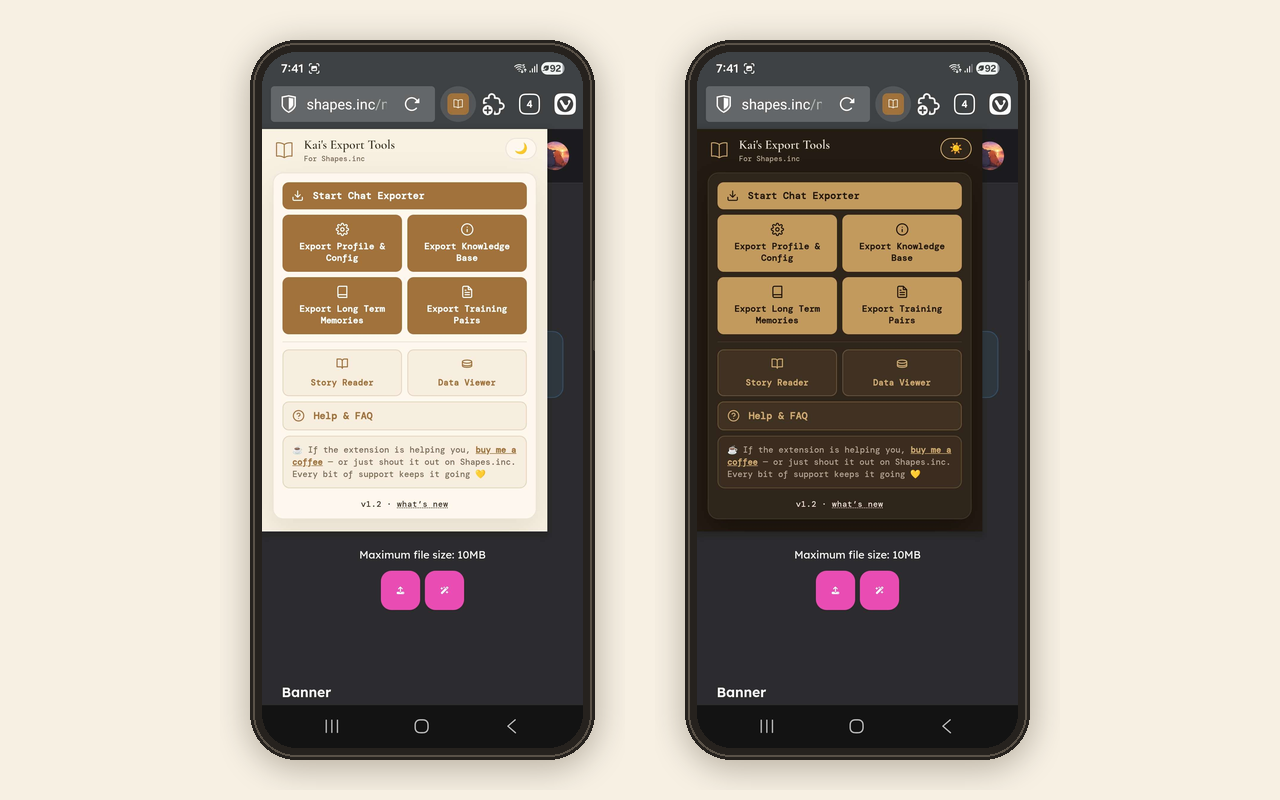
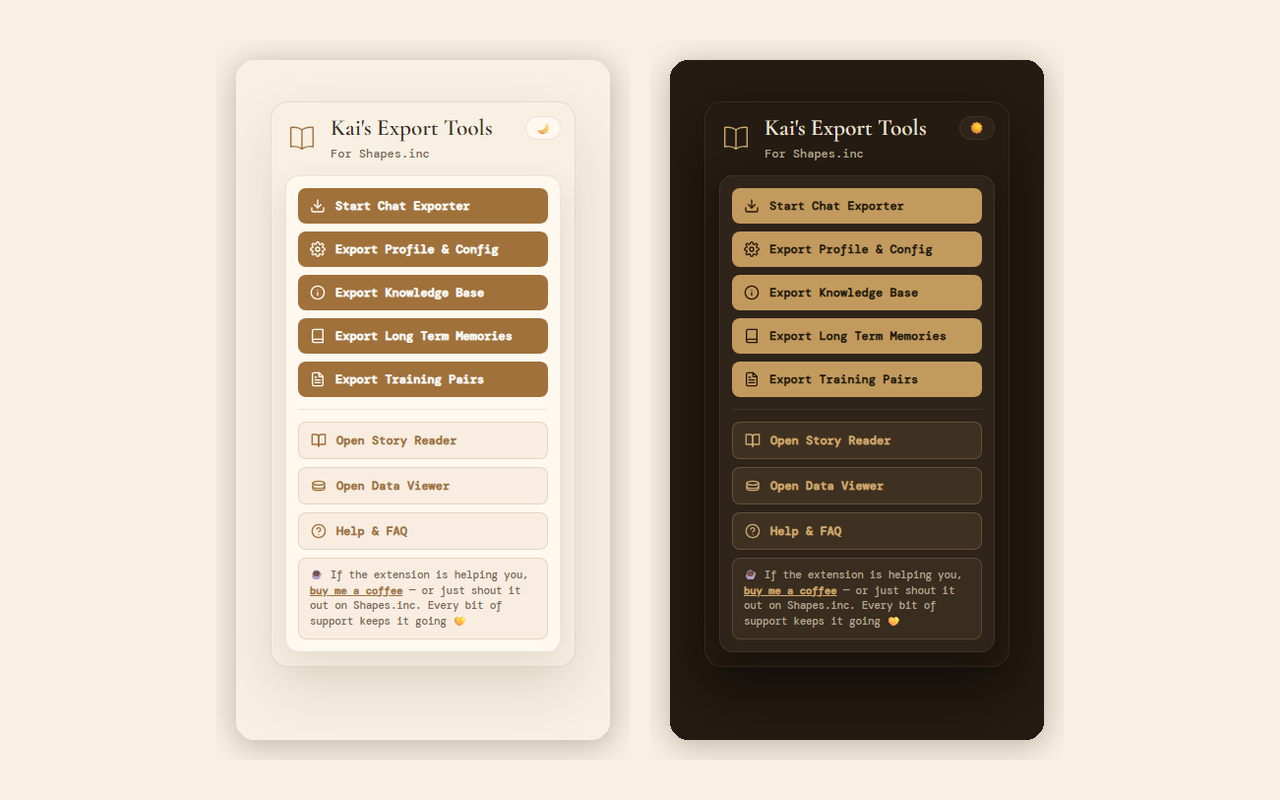
The extension menu on mobile, in light and dark Cozy Cafe
The menu on mobile — light & dark Cozy Cafe
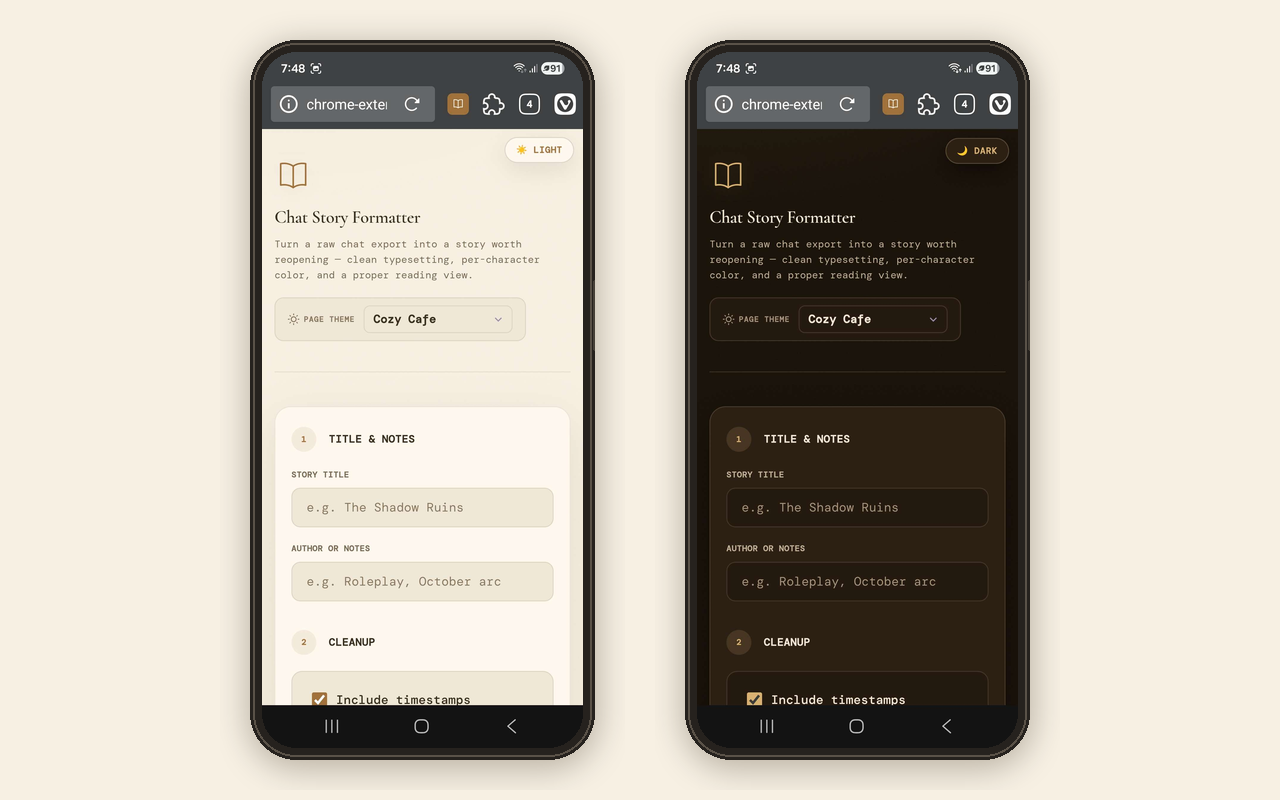
Story Reader on a phone in light and dark themes
Story Reader on a phone — pick your theme
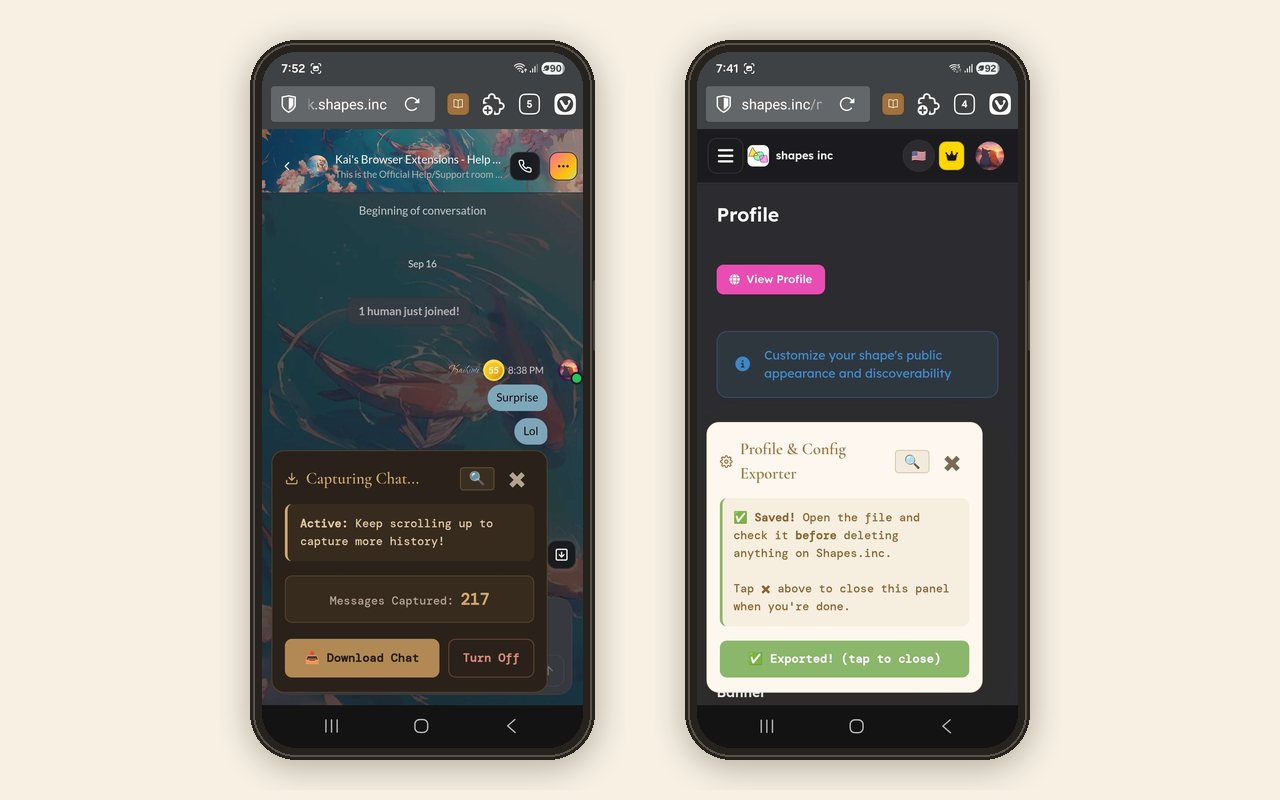
Export panels on a phone screen
Export panels, sized for touch

Made by a fellow Shapes user

I'm not a company or a professional developer — I built this because I wanted it to exist, and I hope it helps you too.

Questions, ideas, or something broken?


💬 Message @shorai on Shapes.inc
🚪 Join the shapes.inc help room for the extension: here

☕ If the extension is helping you, you can support it on Ko-fi — never required, always appreciated 💛

Ready when you are

Free forever. Works in Chrome and Edge on desktop, and Vivaldi Browser on Android.